Linux离线升级OpenSSH9.7p1
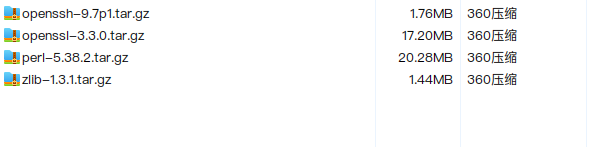
1.下载并上传升级包及依赖包至服务器
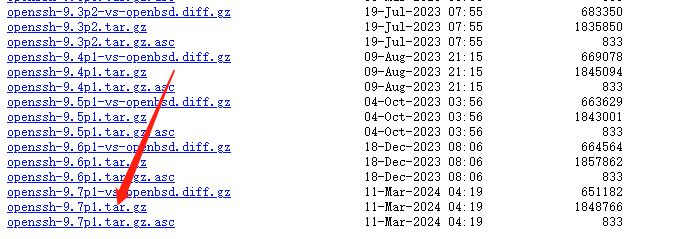
openssh的下载网址:https://cdn.openbsd.org/pub/OpenBSD/OpenSSH/portable/
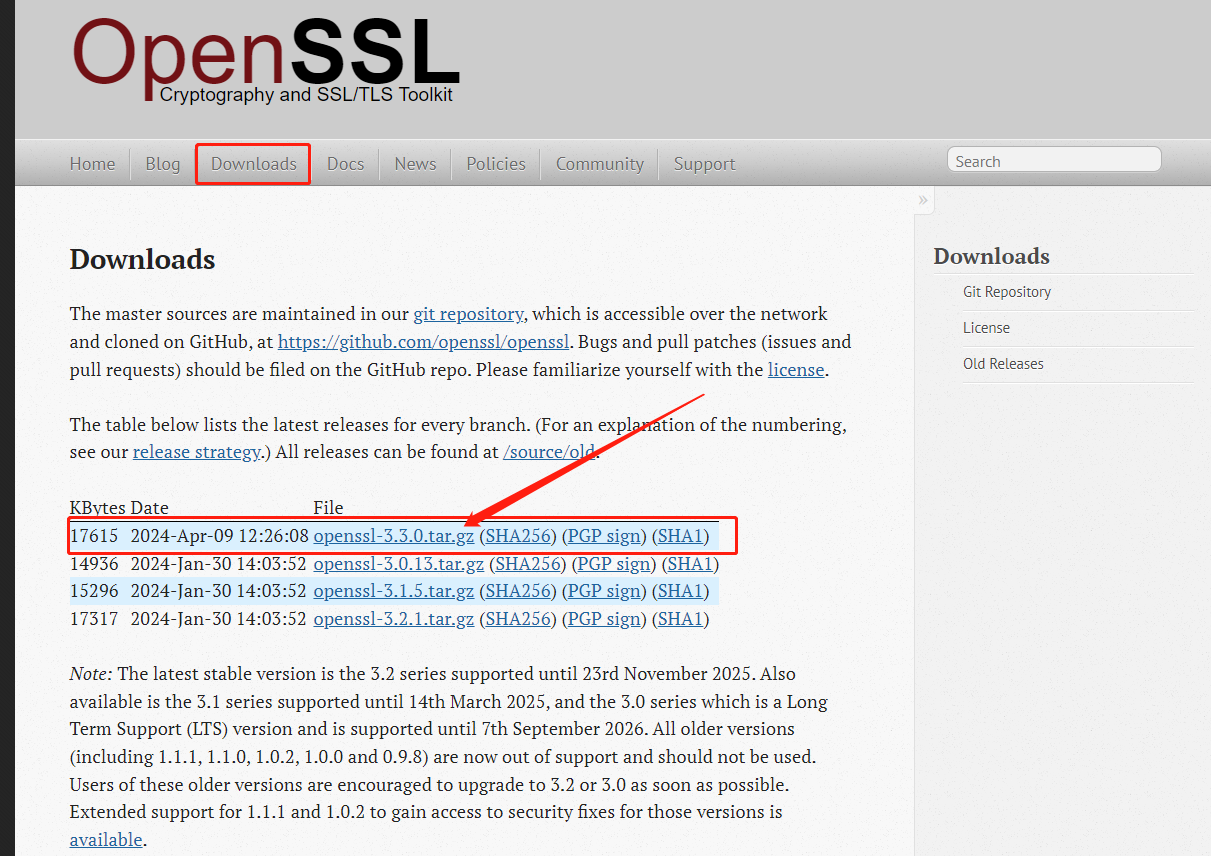
openssl的下载网址:https://www.openssl.org/
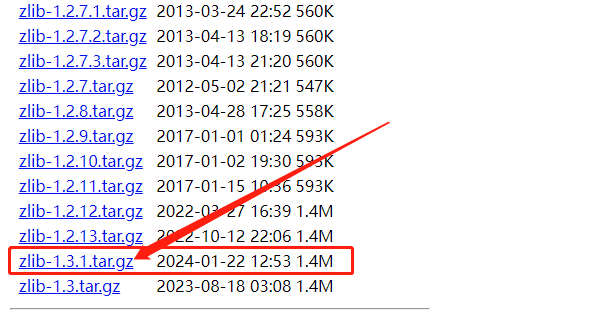
zlib的下载网址:https://www.zlib.net/fossils/
perl下载地址:https://www.perl.org/get.html

2.安装
注意事项:
- 因9.7p1版本的openssh无rpm包,只能使用本地编译方式安装
- 安装每个组件时,需要认真查看是否安装成功,如报错,则不能进行以后的操作。
- 注意自己下载的依赖包版本和解压后的文件夹名称
# 编译之前检查是否安装了gcc编译器
gcc --version
# 如果没有,使用yum命令安装
yum groupinstall "Development Tools" -y
# 安装perl
tar -zxvf perl-5.38.2.tar.gz && cd perl-5.38.2 && ./Configure -des -Dprefix=/usr/local/perl
make && make install
# 编辑环境变量配置
vi ~/.bash_profile
# 在文件末尾添加这一行
export PATH=/usr/local/perl/bin:$PATH
# 重新加载环境变量
source ~/.bash_profile
#查看perl版本
perl -v

# 安装zlib
tar -zxvf zlib.tar.gz && cd zlib-1.3.1 && ./configure --prefix=/usr/local/zlib
make && make install

# 安装openSSL
tar -zxvf openssl-3.2.1.tar.gz && cd openssl-3.2.1 && ./config --prefix=/usr/local/openssl
make && make install
vi ~/.bash_profile
export PATH=/usr/local/openssl/bin:$PATH
export LD_LIBRARY_PATH=/usr/local/zlib/lib:/usr/local/openssl/lib64
source ~/.bash_profile
ldconfig
openssl version

# 安装openssh
tar -zxvf openssh-9.7p1.tar.gz && cd openssh-9.7p1
./configure --prefix=/usr/local/openssh --sysconfdir=/etc/ssh --with-ssl-dir=/usr/local/openssl --with-zlib=/usr/local/zlib
make && make install

# 如果报错,需要将以下chmod三行命令执行后,重新执行上一行命令
chmod 600 /etc/ssh/ssh_host_rsa_key
chmod 600 /etc/ssh/ssh_host_ecdsa_key
chmod 600 /etc/ssh/ssh_host_ed25519_key

vi ~/.bash_profile
export PATH=/usr/local/openssh/bin:$PATH
source ~/.bash_profile
ssh -V


# 卸载原版本的openssl和openssh
yum remove openssh
yum remove openssl

#编辑sshd配置增加以下内容
vi /etc/ssh/sshd_config

X11Forwarding yes
X11UseLocalhost no
XAuthLocation /usr/bin/xauth
UseDNS no
PermitRootLogin yes
PubkeyAuthentication yes
PasswordAuthentication yes


#编辑sshd.service增加以下内容
vi /etc/systemd/system/sshd.service

[Unit]
Description=OpenSSH server daemon
After=network.target

[Service]
ExecStart=/usr/local/openssh/sbin/sshd -D
ExecReload=/bin/kill -HUP $MAINPID
Environment="LD_LIBRARY_PATH=/usr/local/openssl/lib64:/usr/local/zlib/lib"
KillMode=process
Restart=on-failure

[Install]
WantedBy=multi-user.target


#重新加载配置并重启sshd服务
systemctl daemon-reload
systemctl restart sshd

systemctl status sshd
sudo systemctl enable sshd